Let AI write the first draft. Keep the details in your hands. LiteCode brings familiar editing, terminals and Git into a small, focused home for your code.
Windows 11 · x64 Choose an installer or portable version on GitHub
A real LiteCode workspace · Daylight, a Vite + TypeScript sample project
A lighter footprintFamiliar editingYour local files, directly
Lightweight. Well equipped.
From reading the code to running the project, keep the essentials within reach.
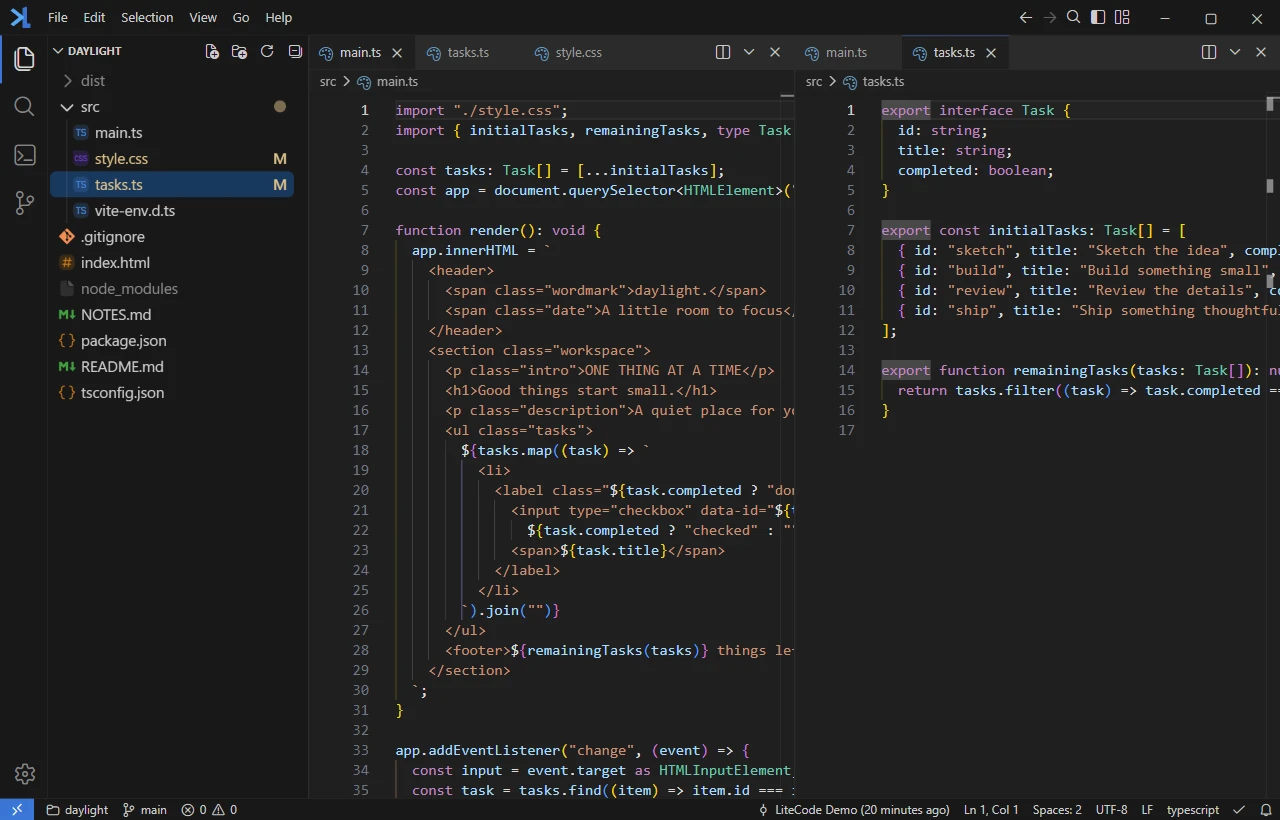
AI writes the draft. You own the details.
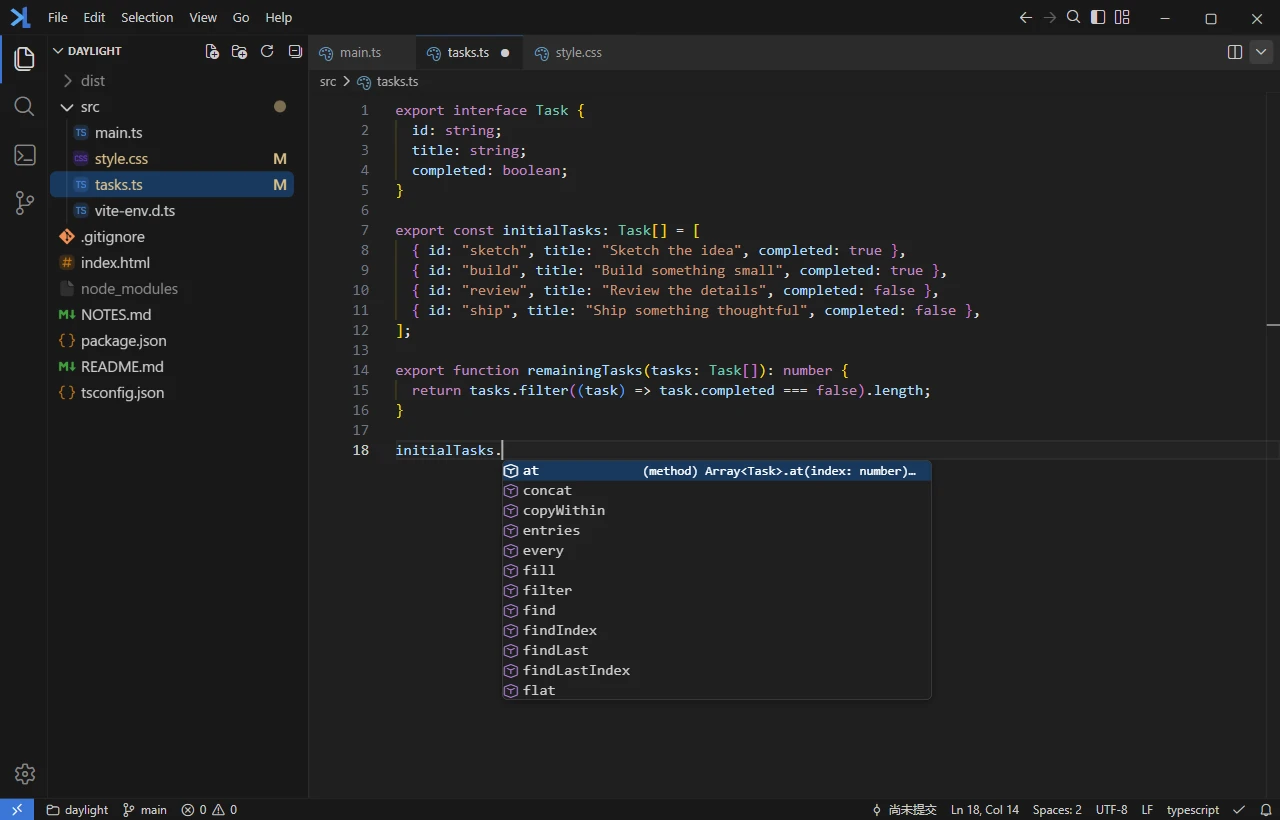
Read, navigate and refine code in a familiar Monaco editor. Check the first draft with completion, diagnostics and code navigation. Keep related files side by side with split editing.
Completion and diagnosticsSplit editingCommand palette
Editing and language tools · Familiar shortcuts, thoughtful details
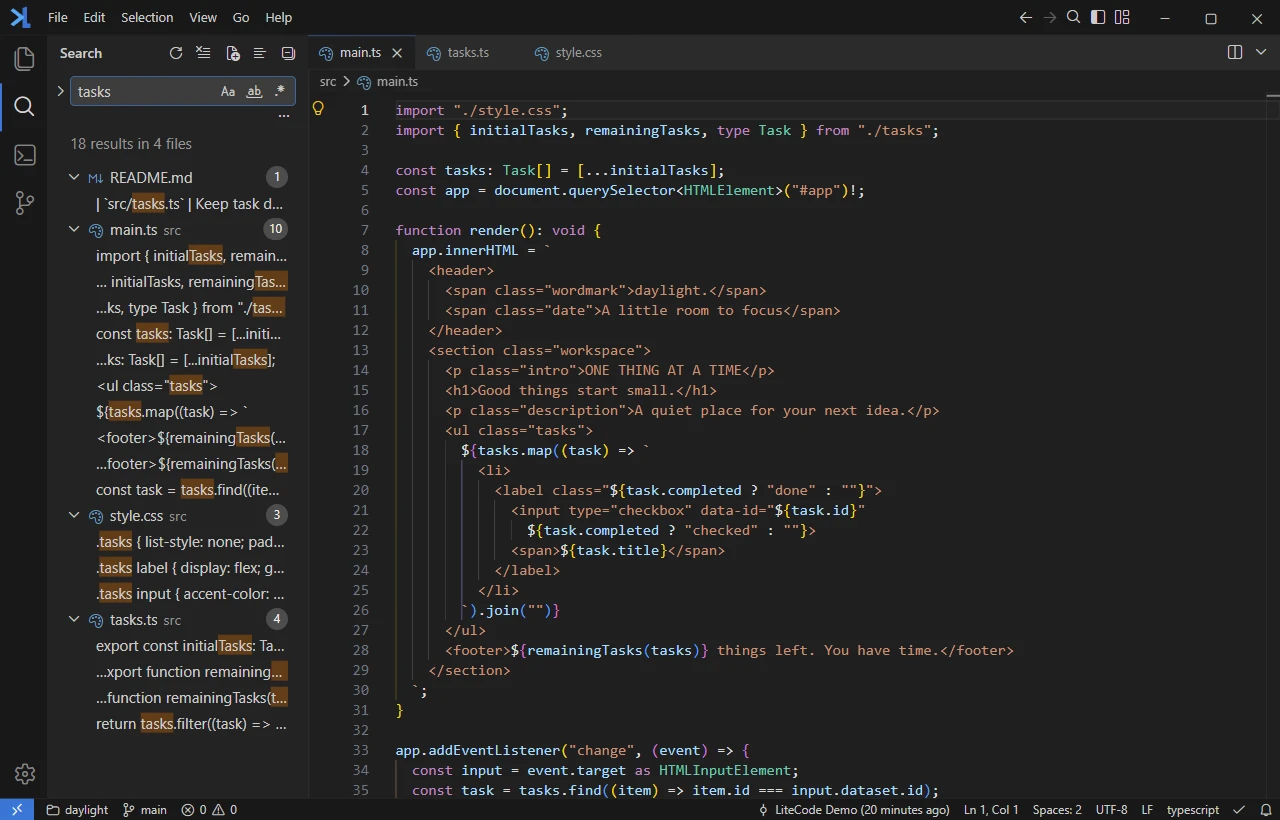
Find one detail. See the whole picture.
A name, a piece of logic, a loose end from an AI session. Search across files to understand the project, review matches in context and replace with confidence.
Project search and replaceResults in contextQuick Open
Project search · Follow a word into the code that matters
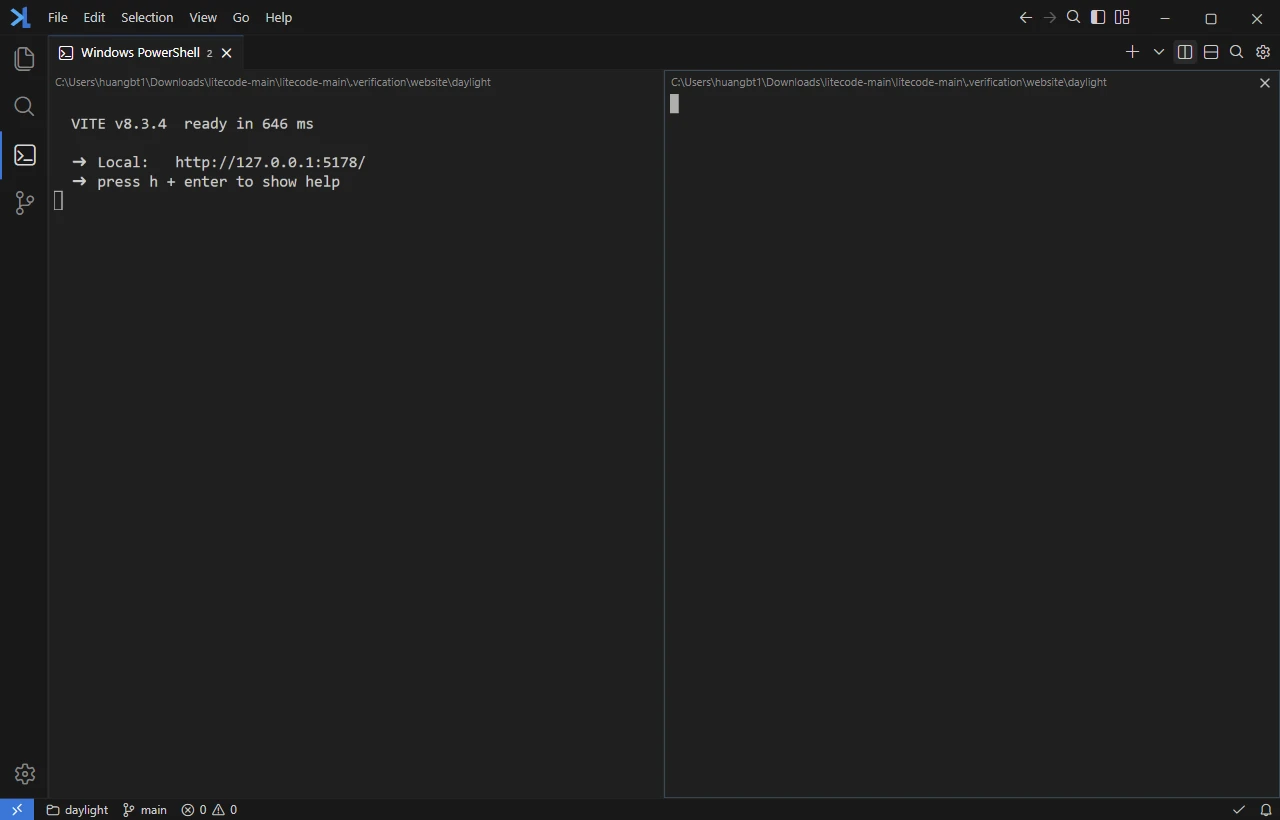
Your terminal. Your way of working.
Run a development server, build the project or use the AI command line tools you already know. Tabs and split terminals give each task its own space.
Tabs and split panesMultiple shellsYour existing AI CLI
Integrated terminals · A live Vite server and actual build output
AI makes a change. You make the call.
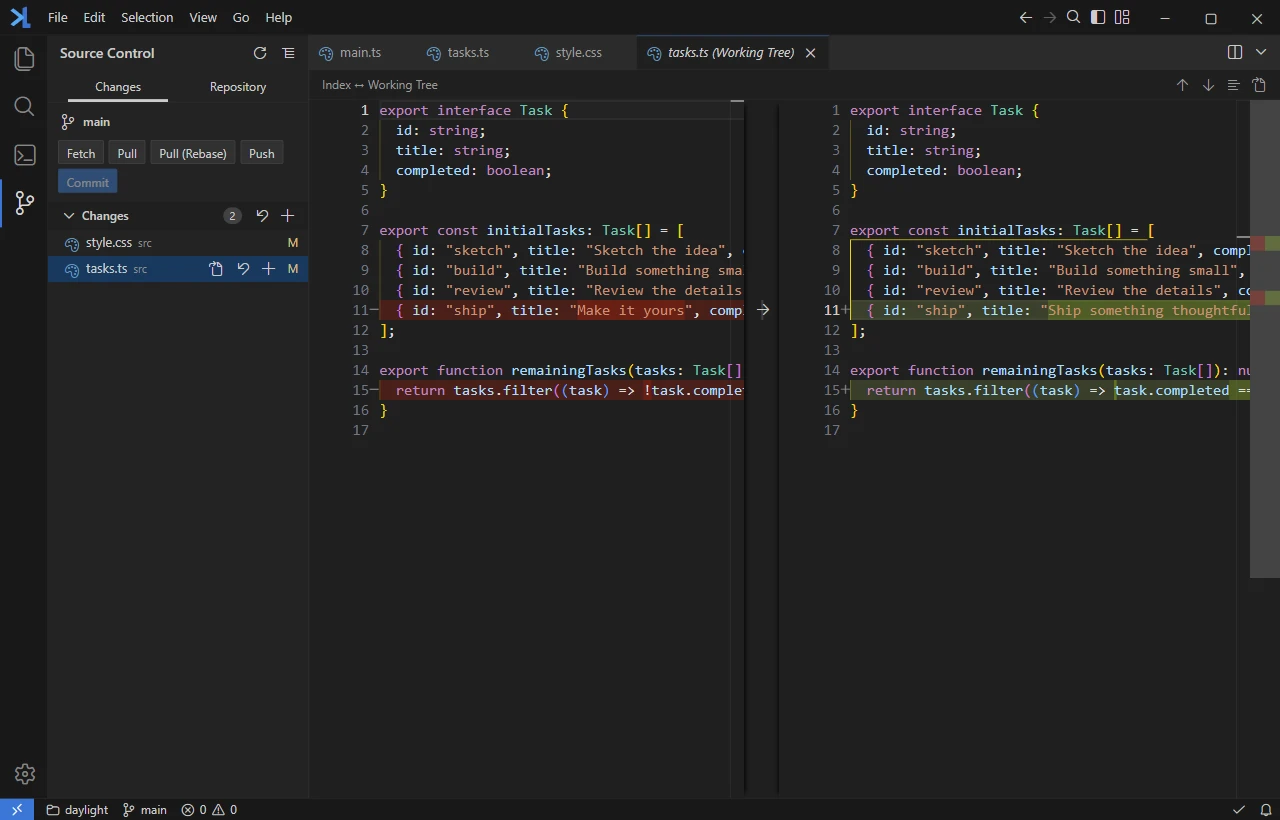
Review changed files in source control and compare the code line by line. Understand what changed before you stage it. The final commit is still your decision.
File changesDiff comparisonStage and commit
Git and diffs · Know exactly what goes into your commit
Beyond the code. See what it says.
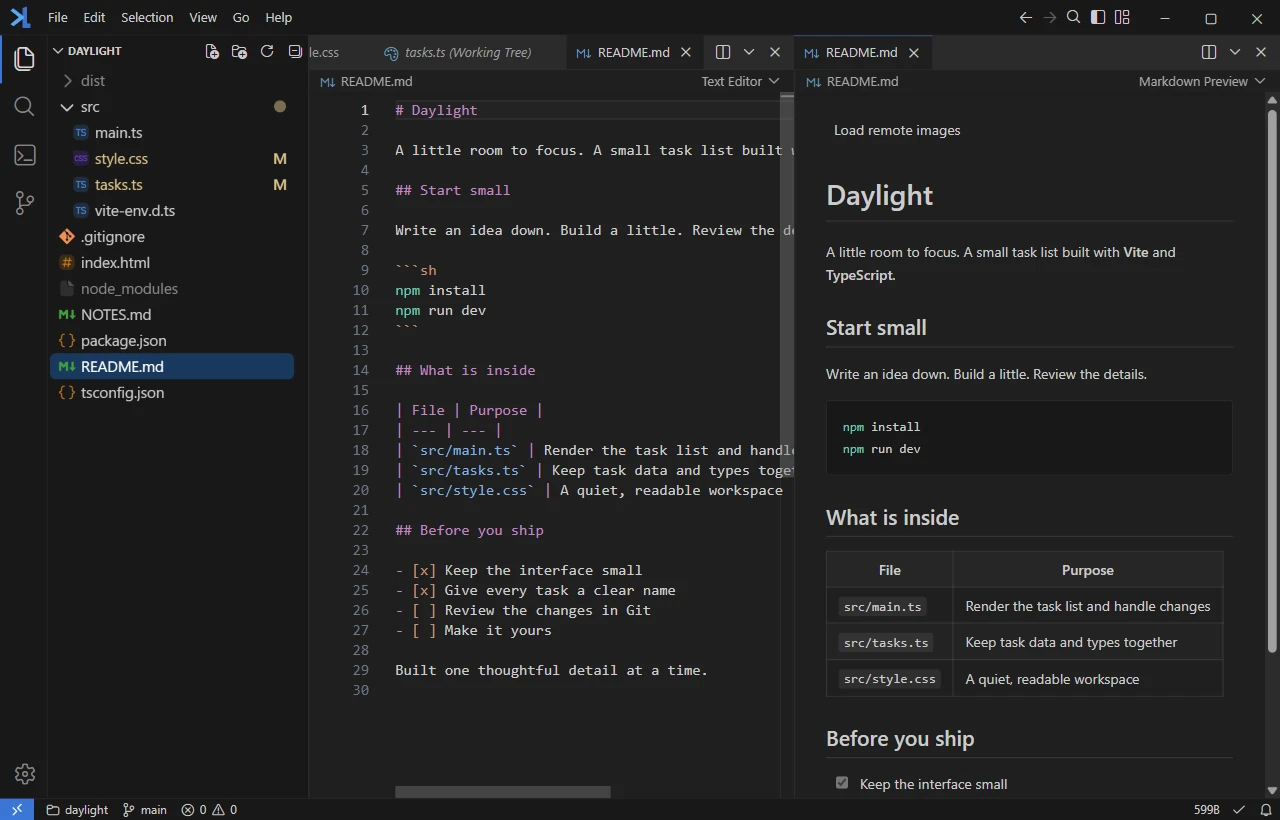
Write Markdown alongside its live, formatted preview. Open images, audio and video inside your workspace, with fewer app switches between you and your work.
Live MarkdownImage previewsAudio and video
Live previews · The source and the reading experience, together
In the AI era,maybe most of the timeyou won't need an editor. But I believea lightweight editorstill has a place.
For the moments when you still want to open the project, understand a change and shape that last line yourself. Less to carry. Just enough control.
 LiteCode